Did you know that Discord attachments are publicly accessible? Did you know that even after deleting an attachment, the link to download the file is still active? In this edition of our leaky app series, we cover how sharing attachment links in Discord can cause accidental public exposure of data. We will also look into the malware abuse case of threat actors using Discord as a malware-hosting platform.
This post is part of an ongoing series of highlighting data exposure concerns in Google Calendar, Google Groups, other Google services, Zendesk, Office 365, Google Photos, and Google Hangouts.
Discord app
Discord is a chat messenger platform that supports voice, video, and text communication. It is used by more than 250 million users with varied interests and is widely used by gamer communities.
Discord servers
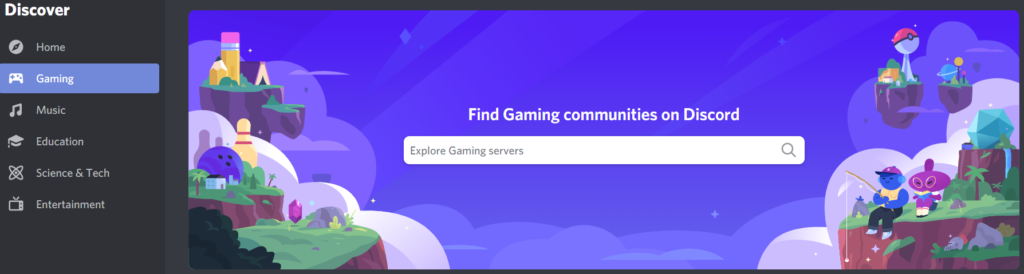
The channels or communities created in Discord are called “servers.” Users can search for and join public servers as shown in Figure 1.
Users can also create their own server using their own template or a list of templates as shown in Figure 2.

The servers are assigned with a list of permissions as shown in Figure 3.
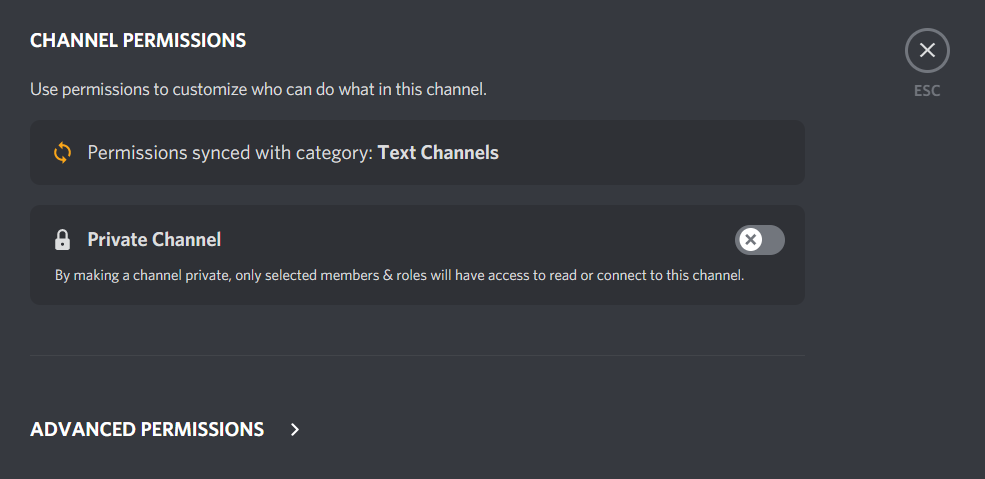
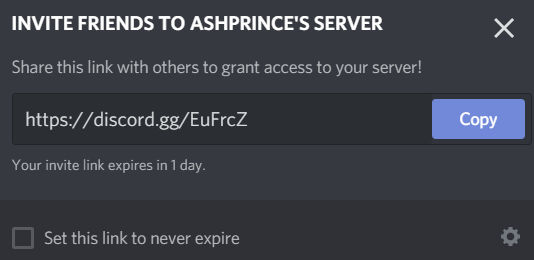
The servers are public by default and users have to enable the “Private Channel” option to restrict access and roles. Once the server is created, users can send invites or grant access via link invitations as shown in Figure 4.
Discord app attachments – Public links
Every file uploaded to Discord generates a public link in one of the following formats
- https://cdn.discordapp.com/attachments/<channel_id>/<attachment_id>/<file_name>
- https://media.discordapp.com/attachments/<channel_id>/<attachment_id>/<file_name>
An example of a public link generated for an image is shown in Figure 5.
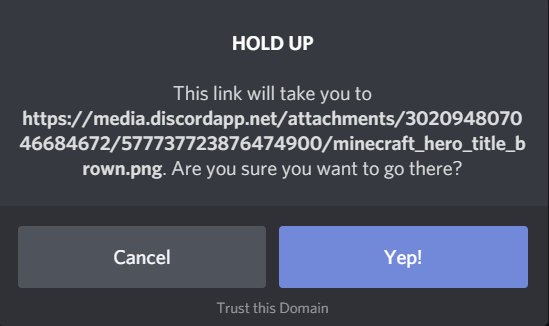
The generated public link is accessible to anyone without authentication and without having any ties to the server. For example, images shared in a private community can be accessed by anyone on the Internet.
On top of this, the link remains valid even after the file is deleted. This can lead to severe exposure concerns if sensitive or confidential data is uploaded. Users should be careful to never share any sensitive or confidential data on any Discord servers.
Discord app – Netskope Cloud Confidence Audit
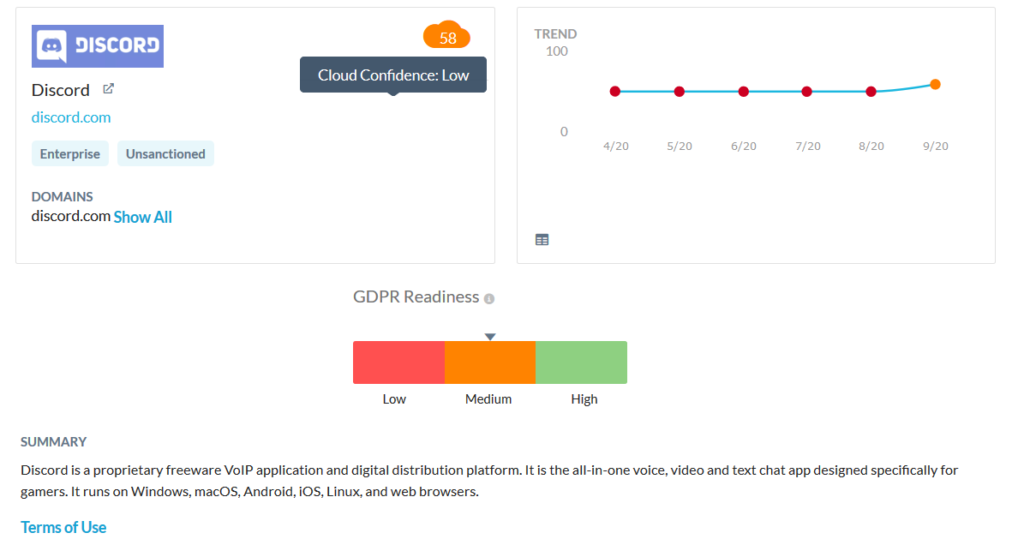
The Netskope Cloud Confidence Index (CCI) measures a cloud service’s enterprise readiness and is adapted from the Cloud Security Alliance (CSA) Cloud Controls Matrix (CCM). Discord has a CCI of 58, well below the threshold of 75—a score that indicates an app is ready to use in the enterprise. An excerpt from the CCI report from Netskope’s platform is shown in Figure 6.
Discord attachments – Threat actors abuse
While the public links for attachments is an exposure concern, threat actors have also leveraged Discord as a malware-hosting platform. Discord provides some limited protection against malicious files being shared on their platform. When Discord detects a malicious file, it displays a message like that in Figure 7. However, this anti-malware protection is not comprehensive. Discord does not detect the latest samples of exploits, infostealers, ransomware, and other malicious content.

Discord link sharing – Data analysis and statistics
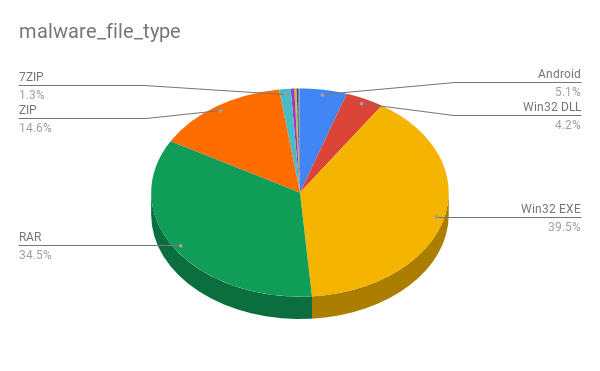
During the month of October 2020 alone, we identified more than 7,000 public Discord attachment URLs containing the file types that included some sensitive data that consisted of source code, resumes, and license keys. 82% of these URLs hosted malicious content, mostly in the form of Windows executable files and archives, as shown in Figure 8.
Discord link sharing – Concerns and recommendations
Apps like Discord that generate permanent, public links for uploads pose an exposure risk. When those apps also don’t provide robust malware scanning, they often serve as free file hosting for cybercriminals. Enterprise users using Netskope can enforce threat detection and DLP policies for cloud services to detect threats and prevent data leaks.
Users should avoid sharing sensitive files in Discord because
- Anyone with access to the link can reshare it outside the server.
- Files uploaded to Discord can be downloaded even if the file is deleted from the conversation.
Users administering private servers should also apply additional controls (though this doesn’t prevent the public links from being generated for the attachments).
- Permissions and controls – Only server administrators should have the permissions to either block or grant limited access to users and their roles.
- Server invites – Admins should uncheck the “set this link to never expire” option.
- Two-factor Authentication – Users administering servers should enable an extra layer of security by enabling the two-factor authentication that requires the password and authentication code to sign in.
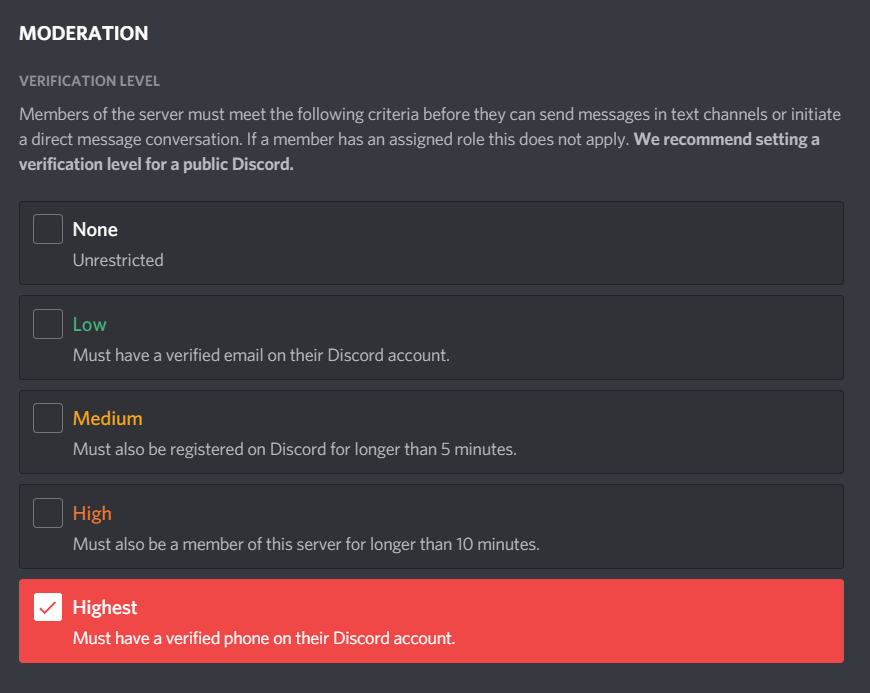
- Moderation – Members of the server must meet a “high” or “highest” criteria in the moderation verification settings before initiating a conversation as shown in Figure 9.

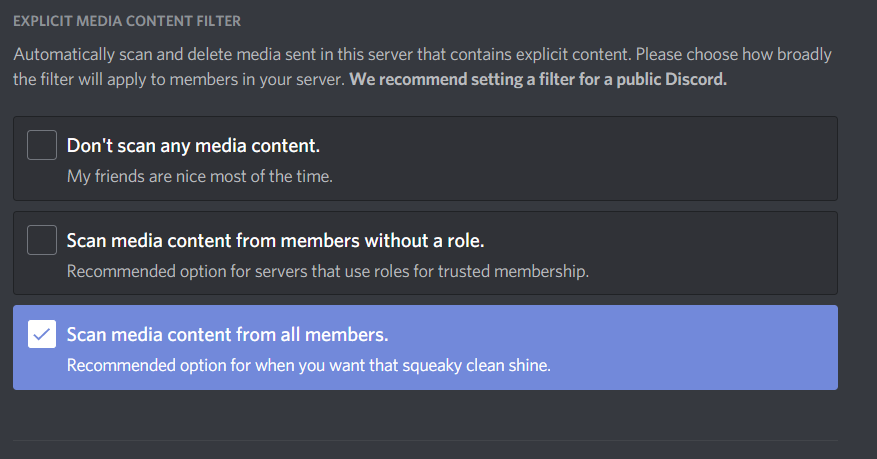
- Explicit media filter – Users should enable the explicit media content filter (which is not enabled by default) to scan media content from all members as shown in Figure 10.
Conclusion
Discord attachments are always publicly accessible and remain publicly accessible after they are deleted. For these reasons, sensitive or confidential data should never be shared via Discord. Discord servers are also public by default. If you have your own Discord server, we recommend following this article to ensure it is properly locked down. Although Discord is primarily a gaming platform, it is important that Discord users in the professional and educational communities never upload or share sensitive or confidential data.
Discord has updated its community guidelines and is taking action on attackers that have been abusing Discord to spread malware. Refer to their transparency report for more details.
Stay tuned for our next edition, which will detail the discovery of an active malware campaign hosted in Discord.