Summary
From April to September 2024, Netskope Threat Labs tracked a 10-fold increase in traffic to phishing pages crafted through Webflow. The campaigns target sensitive information from different crypto wallets, including Coinbase, MetaMask, Phantom, Trezor, and Bitbuy, as well as login credentials for multiple company webmail platforms, as well as Microsoft365 login credentials. The campaigns have targeted more than 120 organizations worldwide, with the majority located in North America and Asia, across multiple segments led by financial services, banking, and technology.
Attackers abuse Webflow in two ways: Creating standalone phishing pages and using Webflow pages to redirect victims to phishing pages hosted elsewhere. The former provides attackers stealth and ease because there are no phishing lines of code to write and detect, while the latter gives flexibility to the attacker to perform more complex actions as required. Webflow also provides custom publicly accessible subdomains without additional cost.
Let’s take a closer look at these phishing and crypto scam campaigns.
Webflow abused to design phishing pages
Webflow is a visual website builder that allows a user to design websites through an intuitive drag-and-drop interface. Webflow comes with free tier access that provides a publicly accessible subdomain. While other apps, like Cloudflare R2 or Microsoft Sway, provide random alphanumeric subdomains, Webflow allows custom subdomains, which can be useful to trick victims.
Over the past seven months, we have seen a 10-fold increase in traffic to Webflow phishing pages. The phishing pages target crypto wallet information and login credentials. Some phishing pages use screenshots of the legitimate login pages to appear legitimate and either use Webflow’s link or form blocks to collect victim credentials. As of this writing, the Webflow phishing pages were reported and have been taken down.
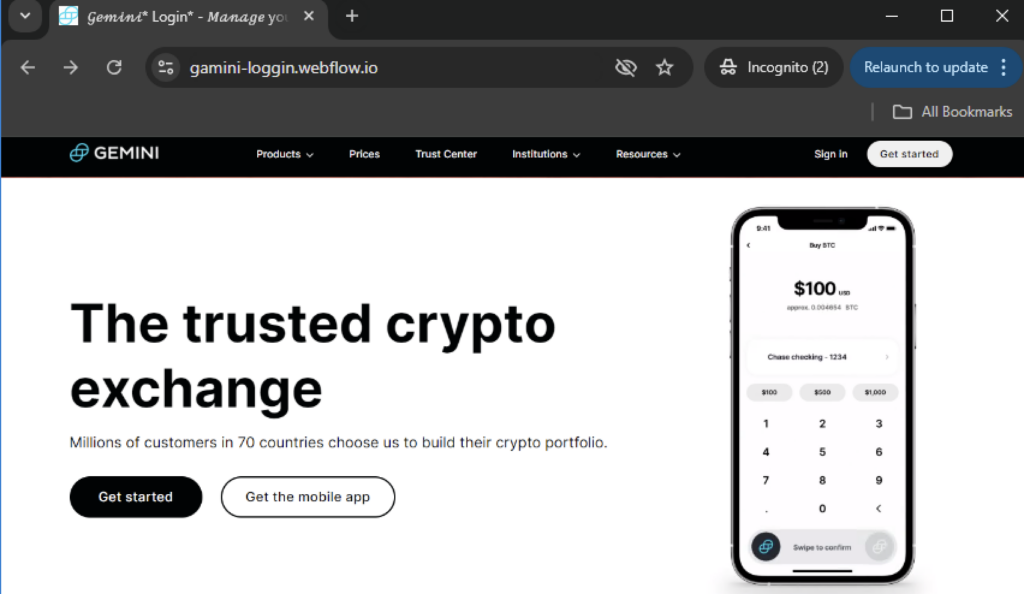
Crafting phishing pages with Webflow
One of the challenges in creating phishing websites is ensuring they look identical to the legitimate page. The Webflow phishing and crypto scam campaigns solved this by taking a full-page screenshot of the legitimate app’s homepage and using it as its own homepage. Some phishing pages simply redirect you from this image to the actual phishing page hosted elsewhere.
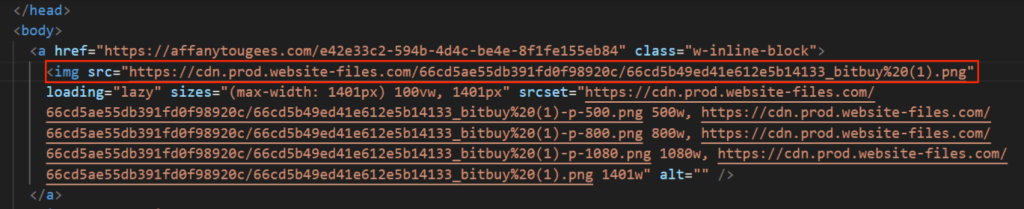
In other pages, attackers place link blocks on buttons that they entice their victims to click.
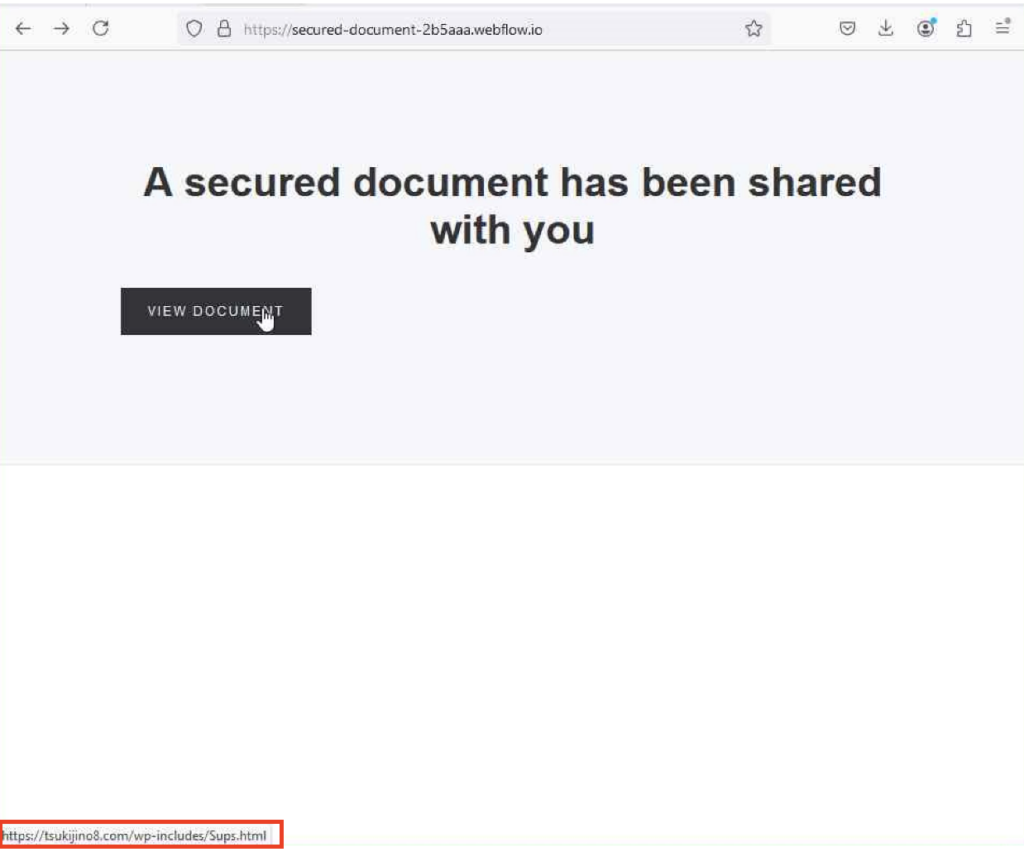
Building a phishing site without writing a line of code
Some of the phishing websites we investigated were more creative. They combined imagery from their target with Webflow’s form blocks. The form blocks allow the attacker to collect victims’ credentials directly in Webflow. By relying solely on Webflow, attackers can create phishing pages without writing any code at all.
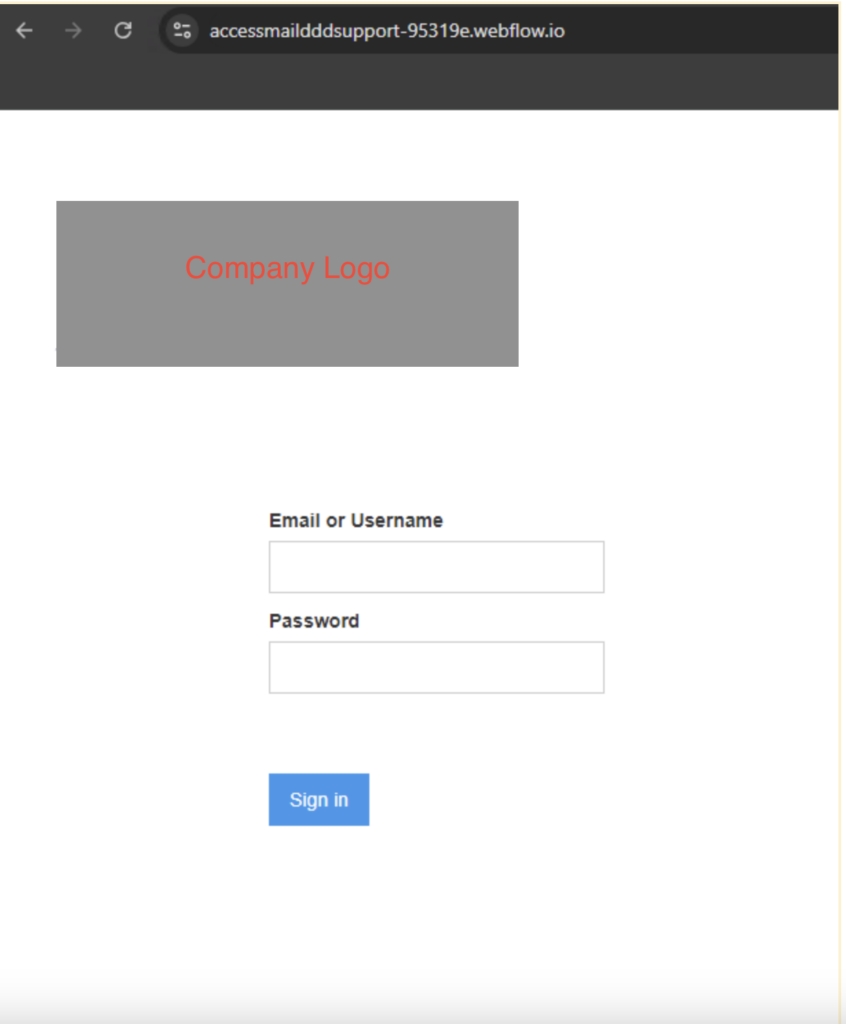
To better understand and defend against these phishing scams, we replicated a phishing website using a Webflow free account. The phishing page we investigated consisted of two elements: a company logo image and a form block where the victim will enter their credentials. Without any prior knowledge of Webflow, we were able to create a phishing website within five minutes.
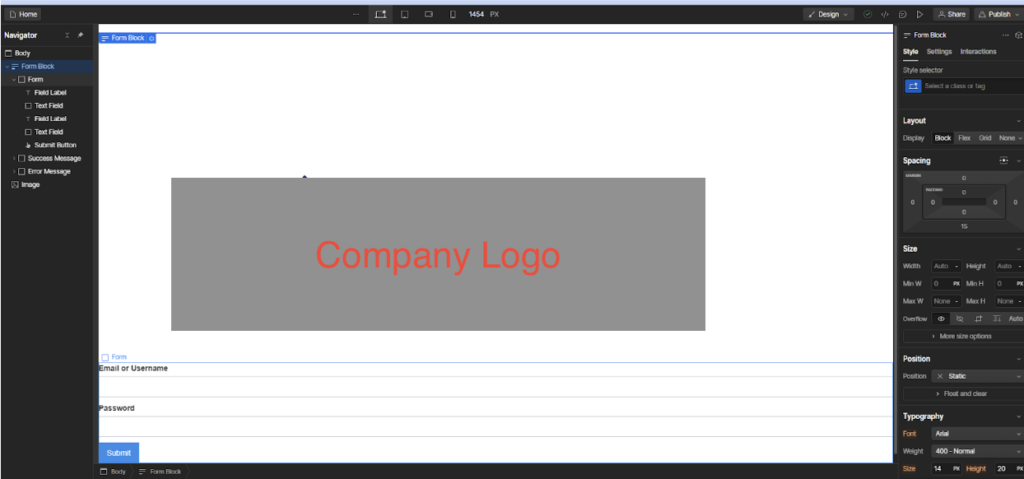

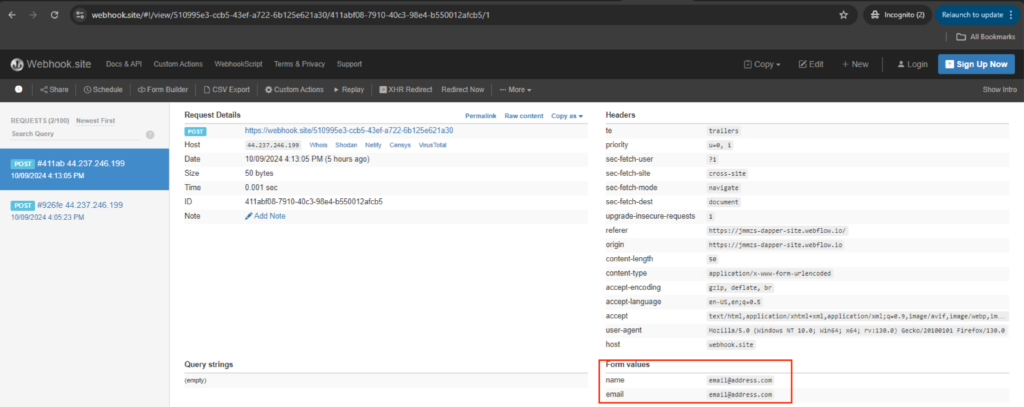
If the situation requires, Webflow also provides the means to redirect stolen credentials to a separate attacker-controlled website. Webform will forward the filled up form on the URL added on the submit button action field.
Crypto wallet phishing
Similar to credential phishing, we also identified Webflow crypto scam websites using a screenshot of a legitimate wallet homepage and used that image as its own phishing page. However unlike the phishing sites which used a button, the link blocks are set on the entirety of the image. This means whenever the victim clicks anywhere on the page, they will be redirected to the scam site.
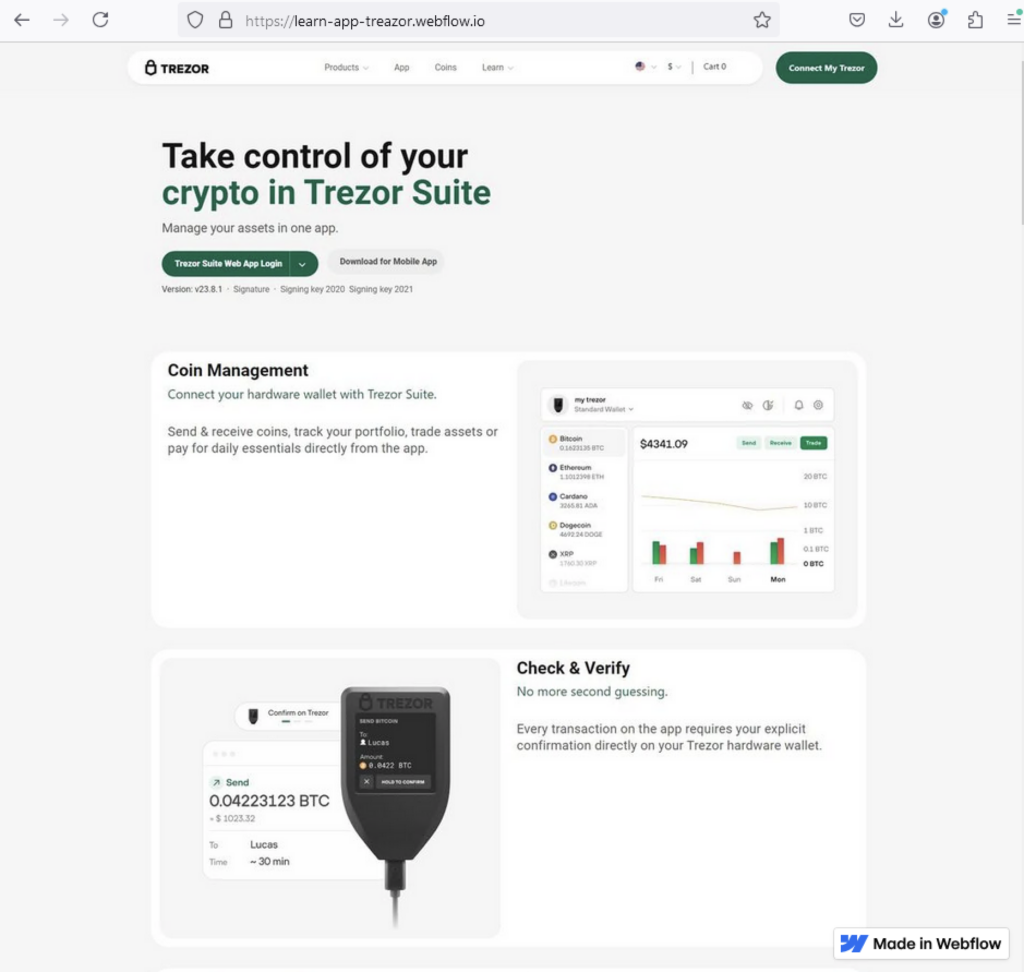
The majority of Webflow crypto-phishing websites we investigated only targeted the victim’s secret recovery phrase. Even though the scam website contained multiple options for signing in, all buttons led to attackers requesting the recovery phrase. Recovery phrases act like a master key to an account. They allow users to recover their account if they forget their passwords or lose their mobile phones. Attackers can use this recovery phrase to take over and drain an account.
The attacker collects the secret recovery phrase and then redirects the victim to an error message. The error messages found are identical to previous crypto wallet scams investigated by Netskope Threat Labs.

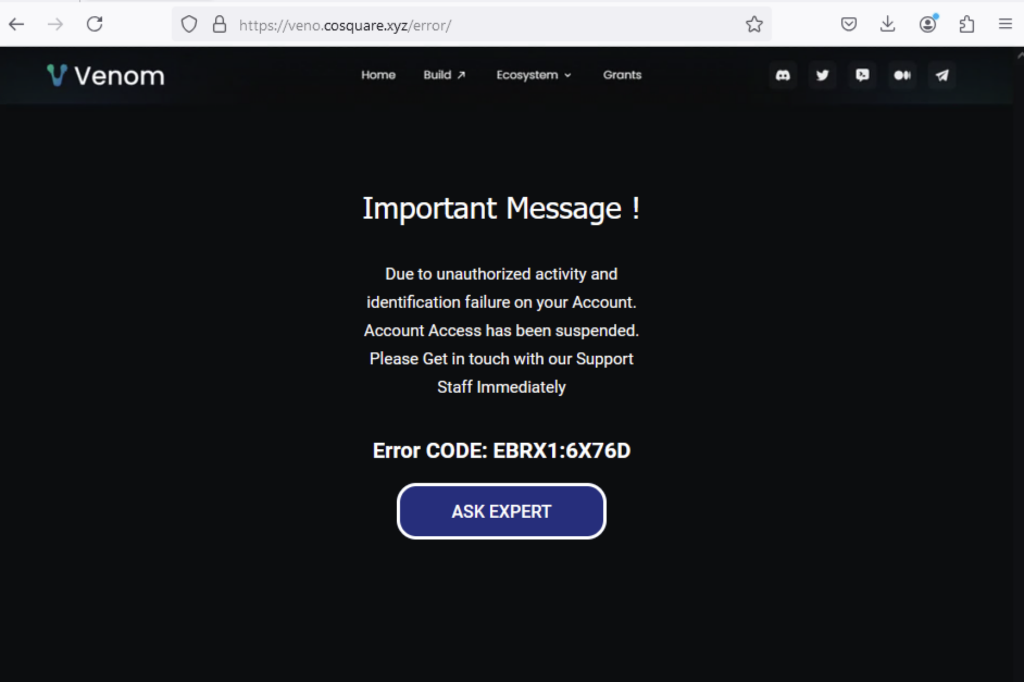
After collecting the secret recovery phase and showing an error message, an “Ask Expert” option appears where a chat from a “tech support” will assist you on this supposed issue. Even though we were unable to contact chat support, the chat app “tawk.to” was previously reported to be used in such scams.
Chat support upon failing to login on scam website
Recommendations
The scams and phishing pages described in the post are easily recognizable by the domain pattern *.webflow.io. Users can avoid becoming victims of the attacks described in this post by checking the URL. Users should always access important pages, such as their banking portal or webmail, by typing the URL directly into the web browser instead of using search engines or clicking any other links.
Netskope Threat Labs recommends that organizations review their security policies to ensure that they are adequately protected against these and similar phishing pages and scams:
- Inspect all HTTP and HTTPS traffic, including all web and cloud traffic, to prevent users from visiting malicious websites. Netskope customers can configure their Netskope NG-SWG with a URL filtering policy to block known phishing and scam sites, and a threat protection policy to inspect all web content to identify unknown phishing and scam sites using a combination of signatures, threat intelligence, and machine learning.
- Use Remote Browser Isolation (RBI) technology to provide additional protection when there is a need to visit websites that fall in categories that can present higher risk, like Newly Observed and Newly Registered Domains.
IOCs
All the IOCs related to this campaign can be found in our GitHub repository.