Sommario
In April 2022, Netskope Threat Labs analyzed an Emotet campaign that was using LNK files instead of Microsoft Office documents, likely as a response to the protections launched by Microsoft in 2022 to mitigate attacks via Excel 4.0 (XLM) and VBA macros.
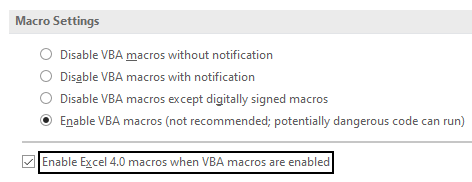
However, we recently came across hundreds of malicious Office documents that are being used to download and execute Emotet, indicating that some attackers are still using old delivery methods in the wild. Despite the protection Microsoft released in 2022 to prevent the execution of Excel 4.0 (XLM) macros, this attack is still feasible against users who are using outdated versions of Office. It is also feasible against users who have changed the default setting to explicitly enable macros. The fact that attackers are still using Excel 4.0 Macros indicates that outdated Office versions and users who have this protection disabled are still common.
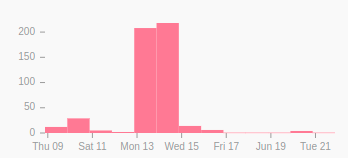
By searching for similar files on VirusTotal, we found 776 malicious spreadsheets submitted between June 9, 2022 and June 21, 2022, which abuse Excel 4.0 (XLM) macros to download and execute Emotet’s payload. Most of the files share the same URLs and some metadata. We extracted 18 URLs out of the 776 samples, four of which were online and delivering Emotet.
In this blog post, we will analyze this Emotet campaign, showing the delivery mechanism to the last payload.
Stage 01 – Malicious Spreadsheets
The first stage is a malicious spreadsheet that abuses Excel 4.0 (XLM) macros to download and execute Emotet. These files are being delivered as email attachments.
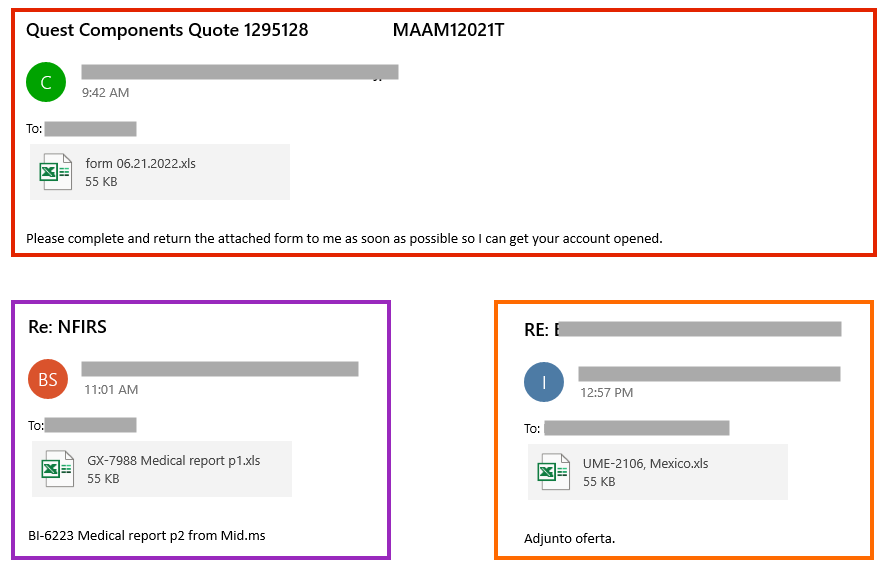
There are also cases where the spreadsheet is attached within a password-protected ZIP file.
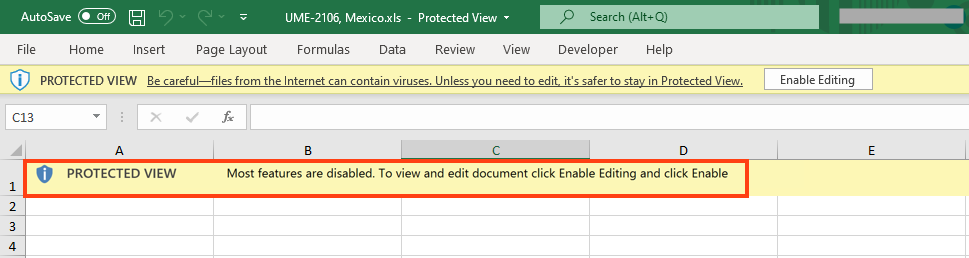
The spreadsheet contains a message to lure the user to remove the protected view by clicking the “Enable Editing” button.
The malicious code is obfuscated and spread across hidden spreadsheets and cells.
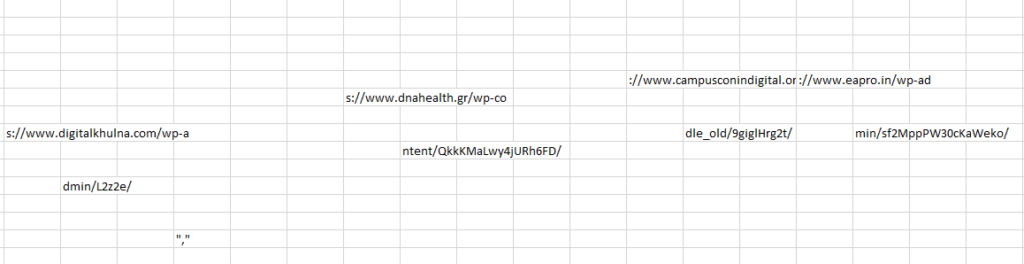
The code downloads the payload from an external URL via “URLDownloadToFileA” API and executes it with “regsvr32.exe”, which is a commonly used binary for the Living-off-the-Land technique.

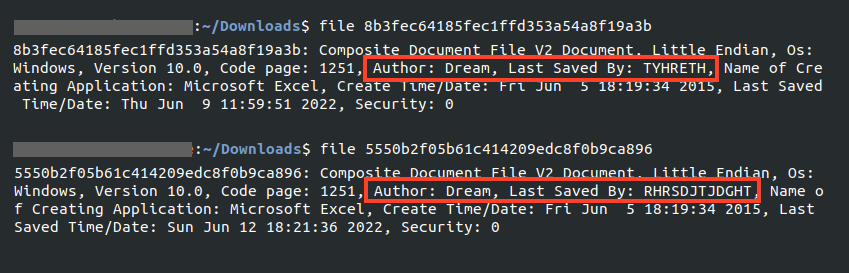
Furthermore, most of the files we analyzed were authored by “Dream” and last saved either by “RHRSDJTJDGHT” or “TYHRETH“, indicating the files likely share an author.
Stage 02 – Packed Emotet
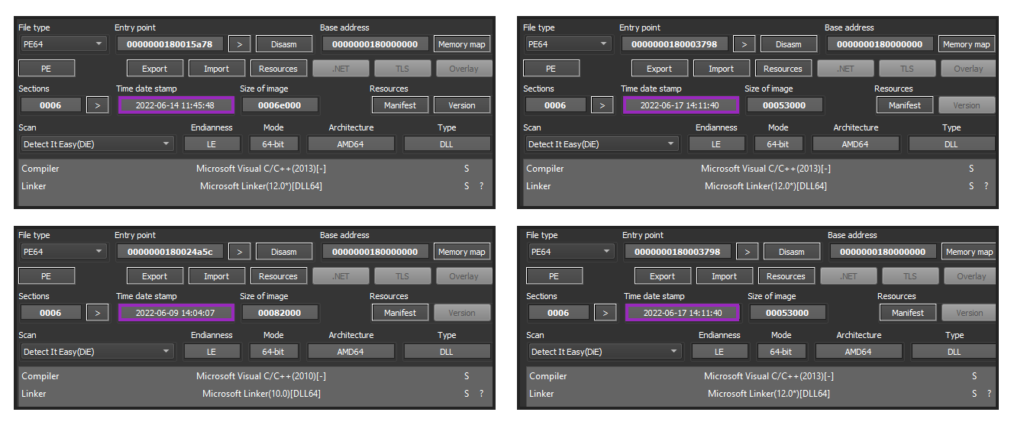
We were able to download samples from four different URLs out of the 18 extracted from the spreadsheets. Two of the downloaded files were unpacking the same Emotet payload.
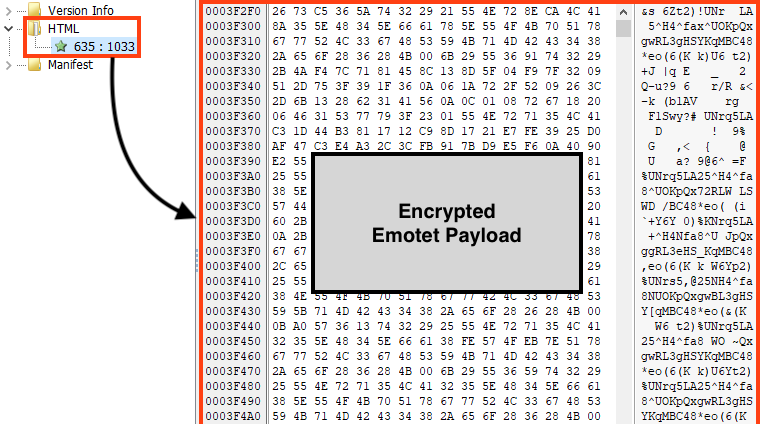
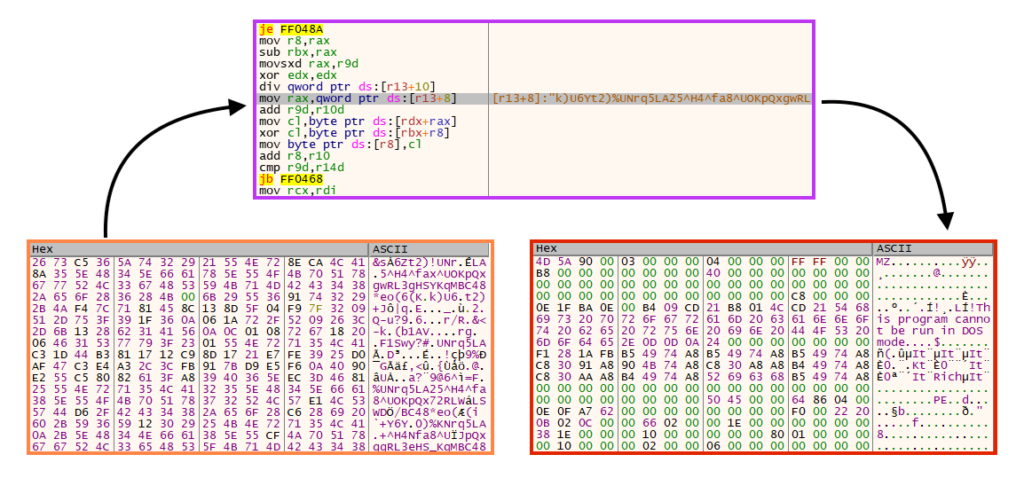
Emotet’s main payload is encrypted and stored in the PE resources of the loader, which is the same case as other Emotet packed samples we analyzed earlier in 2022.
The unpacking/decryption process is also very similar to the samples we analyzed earlier in 2022, where a key is used in a simple rolling XOR algorithm.
Stage 03 – Emotet Payload
We extracted three different payloads (64-bit DLLs) from the samples we downloaded from the URLs.
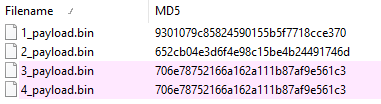
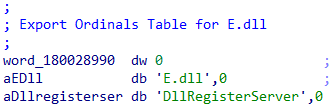
We can find some similarities by comparing these payloads with the ones we analyzed in April 2022, like the pattern used in the DLL name.
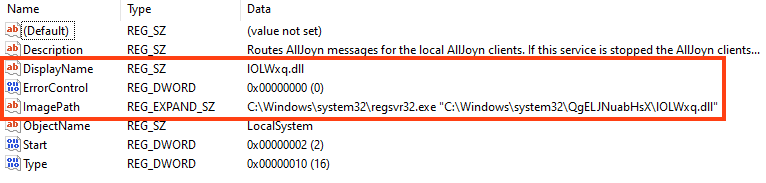
And also the persistence mechanism via Windows service that executes the payload via regsvr32.exe.
However, there are some differences between these payloads and the ones we analyzed in April 2022. The first one is where and how Emotet decrypts its strings. In previous payloads, Emotet was storing its strings in the PE .text section.
In these latest payloads, Emotet uses functions to retrieve decrypted strings. Simply put, the attacker is using the concept of stack strings, which are passed via parameter to the function that performs the decryption process.
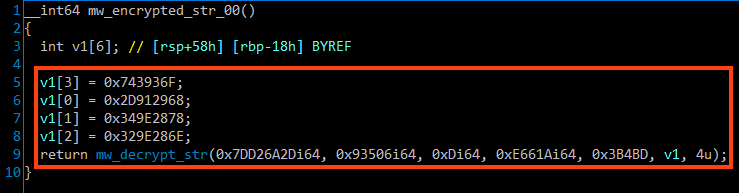
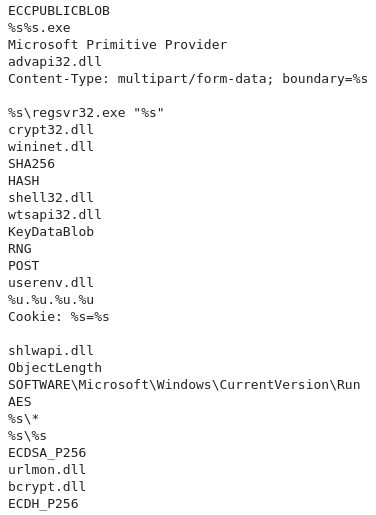
The decrypted strings can be easily retrieved by placing breakpoints in the return of these functions. Also, it’s possible to use a Python script to automatically extract this data using Dumpulator or any other emulation framework.
The C2 addresses are also retrieved in a different way on these payloads. Instead of storing this data in the PE .data section, Emotet parses the C2 addresses via functions as well.
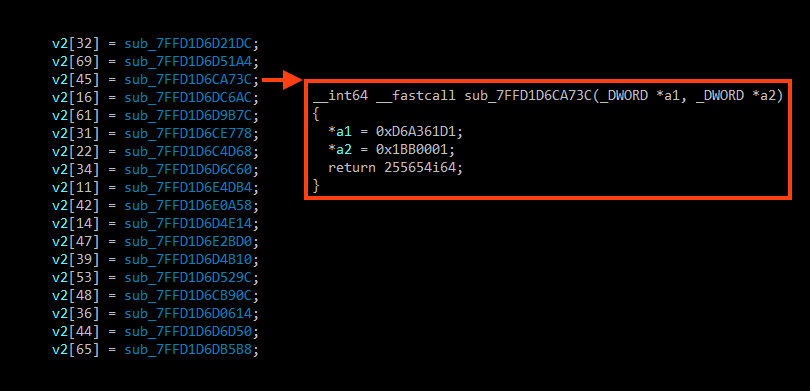
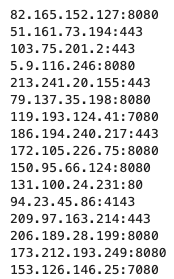
And it’s also possible to extract this information statically using an emulation script, similar to the one used for the strings.
Conclusions
In April 2022 we analyzed an Emotet campaign that was not using Microsoft Office files to spread, as a possible response to Microsoft protections. However, we still see some attackers abusing Microsoft Office files to download and execute Emotet. We strongly recommend users to update Microsoft Office to its latest versions. Also, IT administrators may also completely block Excel 4.0 (XLM) Macros via Group Policy.
Protezione
Netskope Threat Labs is actively monitoring this campaign and has ensured coverage for all known threat indicators and payloads.
- Protezione dalle Minacce Netskope
- Document-Excel.Trojan.Emotet
- Win64.Trojan.Emotet
- Netskope Advanced Threat Protection provides proactive coverage against this threat.
- Gen.Malware.Detect.By.StHeur indicates a sample that was detected using static analysis
- Gen.Malware.Detect.By.Sandbox indicates a sample that was detected by our cloud sandbox
IOCs
All the IOCs related to this campaign, scripts, and the Yara rules can be found in our GitHub repository.