


Earlier this week, a Bleeping Computer article described a new ransomware that researchers are calling Surprise that is propagated by online support app, TeamViewer. According to TeamViewer’s website, the app is installed in more than 90 percent of the Fortune 500 and has been installed on more than one billion devices worldwide. Netskope recently surfaced TeamViewer in the Netskope Cloud Report as an app that has posted triple-digit growth in the past year and is in the rapidly-expanding Microsoft 365 ecosystem.
How It Happens
According to the article, the Surprise ransomware developer was able to co-opt the credentials of a TeamViewer user, and then used those credentials to gain access to other TeamViewer users and download the malware file via TeamViewer.
Specifically, there are three different communications that are happening in this scenario. The first is from user 1 (the person delivering remote support) to the TeamViewer console. The second is user 2 (the recipient of the remote support) to the TeamViewer console. Finally, once the two parties connect to the TeamViewer console, TeamViewer puts the two users in communication using a peer-to-peer networking protocol. That connection is used for user 1 to access and deliver support to user 2’s machine, with the ability to deliver files, including Surprise ransomware. The article elaborates that the executable file doesn’t contain encryption functions or other malicious-seeming behaviors, so they have been able to evade both anti-virus and behavioral anti-malware products. We see TeamViewer used in more than half of all of our Netskope tenants, and have issued a Customer Advisory with instruments for protecting themselves against this threat.
Another Backoff?
Since US CERT issued this Advisory pointing to remote access and control apps, including LogMeIn and JoinMe, as being used by hackers to gain access to corporate networks (especially in retail, restaurants, and other industries with highly distributed systems where branch networks depend heavily on centralized IT support models) to install the infamous Backoff malware (responsible for some of the most egregious data breaches in history), Netskope has been advising our customers to find and understand all such apps that are accessing their remote branches, and put proper authentication and auditing technologies and procedures in place to prevent unauthorized access and be able to produce forensic audit trails in the case of a suspected breach. TeamViewer and ransomware looks an awful lot like the Backoff distribution model, except instead of stealing POS data, the ransomware developers are holding corporate data for ransom. Because of the necessity of remote support apps in distributed businesses, this threat is especially insidious!
The Malware Fan-out Effect Strikes Again
In addition to looking like Backoff, we noticed another thing about these attacks: They are a variation of the cloud malware attack fan-out effect we’ve been talking about in the news and at our keynote at the Cloud Security Alliance Summit and RSA Conference last month. The fan-out is what happens when malware travels via sync and share in cloud apps. Beyond malware propagating in the cloud, we saw the effect of malware traveling in the cloud, where a ransomware victim would have his files encrypted, then those encrypted files synced to the cloud, then other users who were also synced to those same cloud folders had their files encrypted, and so on. Even though the example here is ransomware, the malware payload itself travels via the TeamViewer app, and then the encryption happens post-infection.
Nine Must-Dos if You Think Your Organization is at Risk
If you are using a Cloud Access Security Broker (CASB), you should take the following actions. We use Netskope screenshots to demonstrate below:
- Find out whether you have TeamViewer running in your environment. If you are using Netskope, you can simply query on the app. Also, find other remote support (and remote access) apps in your environment.
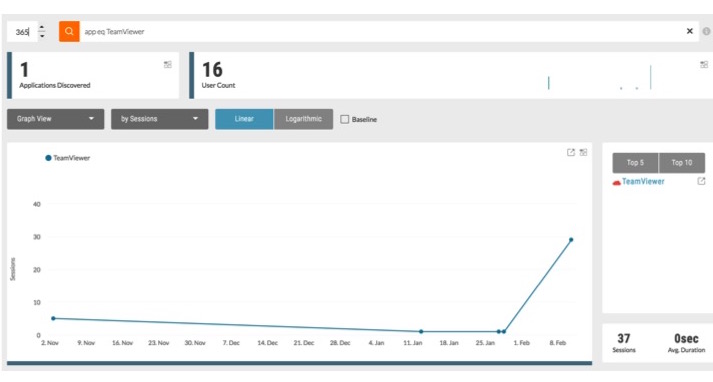
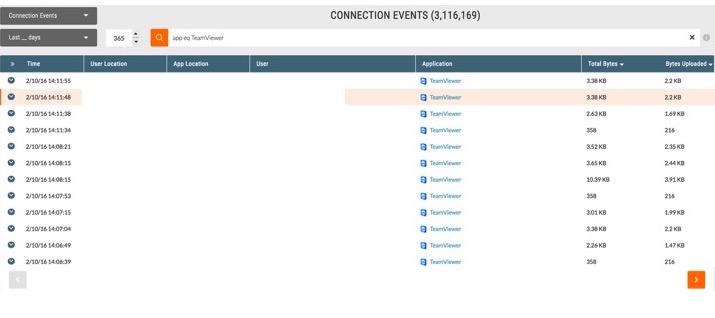
- Understand which users are accessing TeamViewer, and what that access looks like.
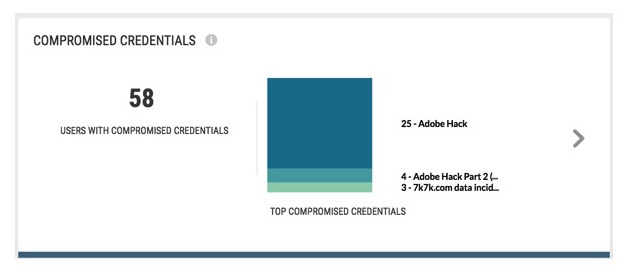
- Cross-check users against compromised credentials threat intelligence to understand whether users’ TeamViewer accounts may have been hacked. Isolate and disable hacked users’ accounts. Prompt all TeamViewer users and users with other compromised accounts to update passwords on all business-critical cloud apps.
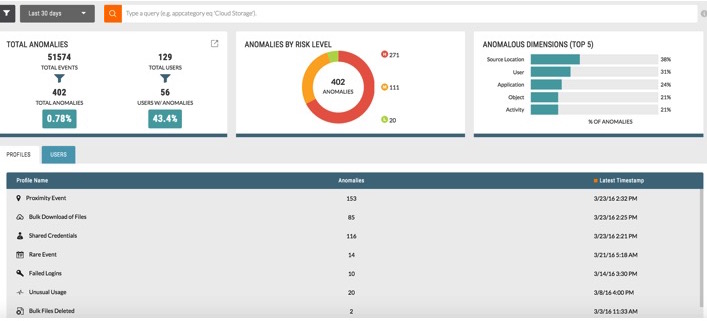
- Put all TeamViewer users on a watch list and use machine learning-based anomaly detection to find unusual activity.
- Consider temporarily blocking TeamViewer to prevent users from infection via this app.
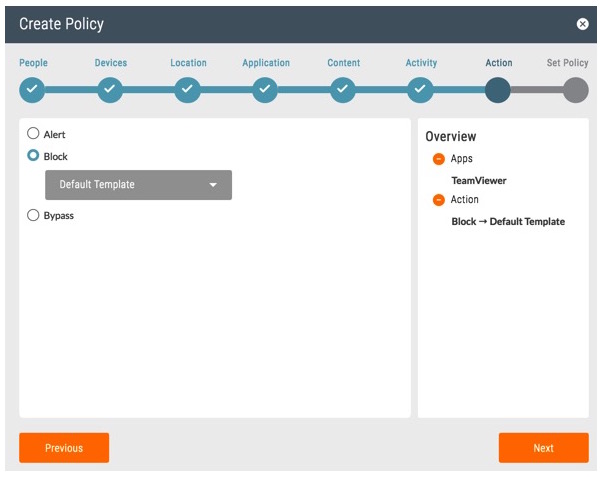
- As a preventive measure, scan for and remediate malware in other business-critical cloud apps.
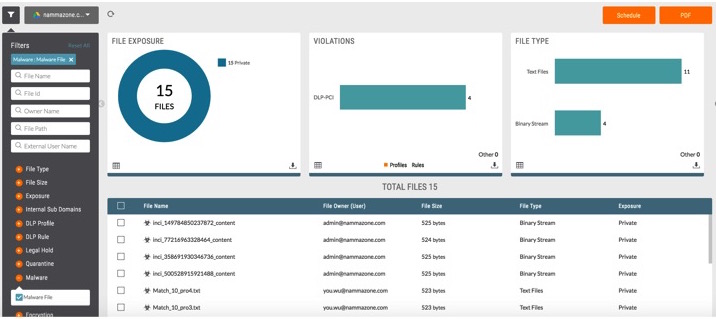
Beyond actions you can take in CASB, we also recommend doing the following:
- Back up versions of your critical content in the cloud. Enable your app’s “trash” feature and adjust the settings to prevent end users from permanently deleting a file for 30 days so the admin has visibility into files that users are putting into trash. Only a co-admin should have the right to perform a deletion earlier. This will ensure you have a version of your content available should your files become encrypted in a ransomware attack.
- Put multi-factor authentication in place for TeamViewer (and all remote support/remote access apps that access your network). Also, consider bringing these apps under your single sign-on (SSO) management umbrella.
- Make sure that the people inside your network are only accessing sanctioned remote access tools that you know you have protections for in your enterprise.
Please also see TeamViewer’s commentary and recommendations for protecting against ransomware infections via TeamViewer.


